How to Update Canon Printer Driver: Windows & Mac Guide
Updating a Canon printer driver may help when the printer is not detected correctly, stops printing after an operating-system change, or develops software-related communication problems. Before updating anything, identify the exact printer model, operating system, and current connection method. Then use the appropriate update process for your computer.
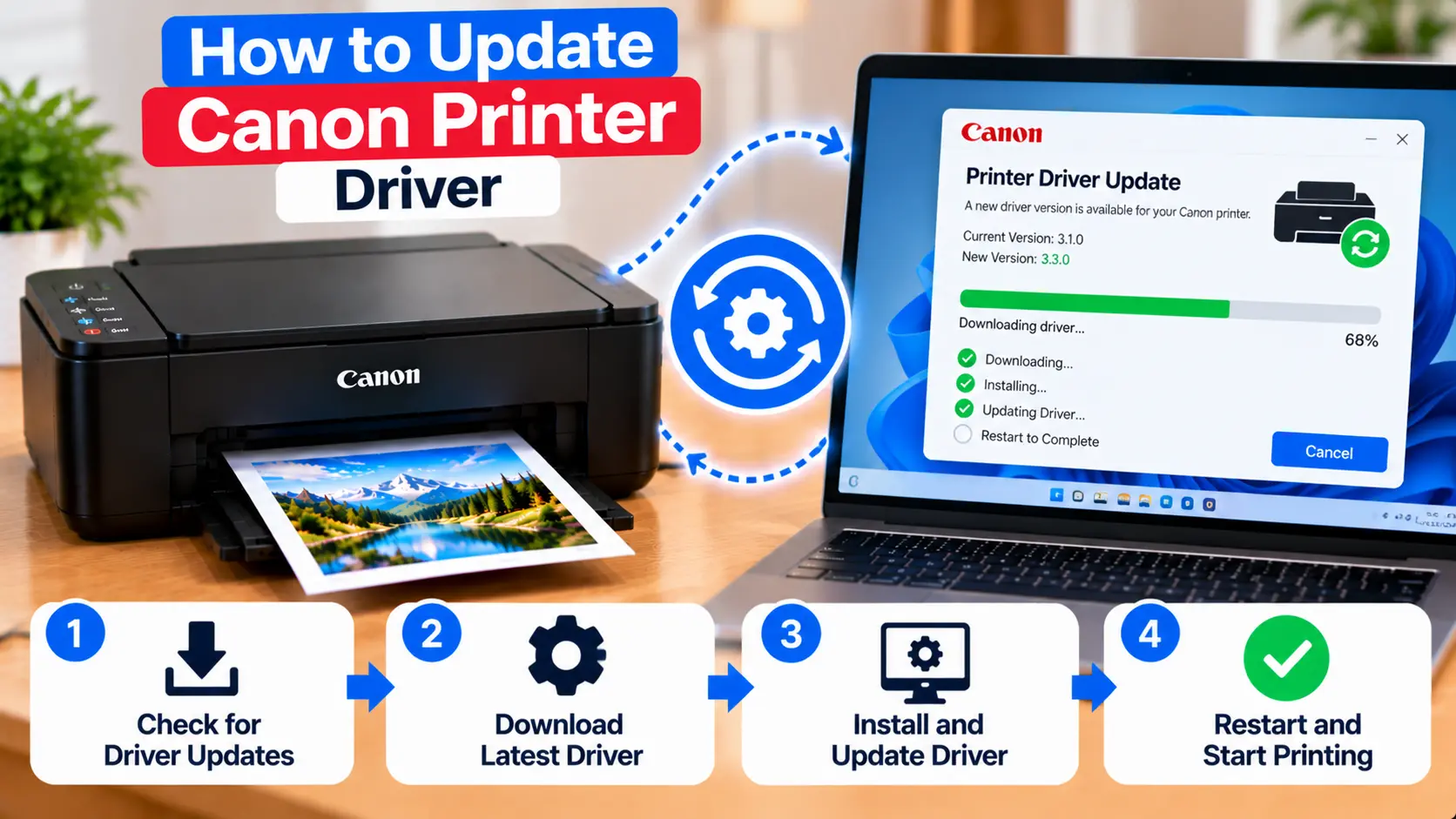
How Do I Update My Canon Printer Driver?
First identify the exact Canon printer model and your Windows or macOS version. Check whether the printer currently works and whether the problem actually appears driver-related. On Windows, driver updates may be available through the operating system or through software intended for the exact printer model. On Mac, printer software handling can vary by macOS version and printer model. After an update, restart if required and test the printer with a simple document.
When Should You Update a Canon Printer Driver?
A driver update is worth checking when there is a reasonable indication that printer software is contributing to the problem.
Examples include:
- The printer stopped working after an operating system update.
- The computer detects the printer incorrectly.
- Printer features that previously worked are no longer available.
- The installed driver appears incompatible with the current operating system.
- The printer has been moved to a new computer.
- Existing printer software is damaged or no longer functioning normally.
However, updating a driver should not be the first response to every printer problem.
For example, a paper jam, empty paper tray, printer error code, disconnected USB cable, or lost Wi-Fi connection is unlikely to be solved simply by updating the driver.
What to Check Before Updating the Canon Printer Driver
Before changing printer software, collect the information needed to choose the correct update.
Confirm the Exact Printer Model
Canon produces many printer families and model variations. Software intended for one model should not be assumed to work with another.
Check Your Operating System
Determine whether the computer uses Windows or macOS and identify the installed operating-system version.
Check the Connection Method
Determine whether the printer is connected through USB or over the local network. A connection problem can sometimes look like a driver problem.
Note the Current Problem
Write down what is actually failing. For example, does the computer fail to detect the printer, does the printer appear offline, or does a print job enter the queue but never print?
How to Update a Canon Printer Driver on Windows
The exact Windows interface can differ by version, but you can begin by checking the installed printer and device configuration.
- Make sure the Canon printer is powered on.
- Confirm the USB or network connection.
- Open the Windows printer or device settings.
- Identify the correct Canon printer.
- Check whether Windows reports a device or driver problem.
- Check for an appropriate driver update using the available Windows device/update options or software intended for the exact printer model.
- Complete the update and restart the computer if required.
- Print one small test document.
Menu names can vary between Windows versions, so do not assume that every computer will display exactly the same options.
Check Windows Update for Printer Driver Updates
Windows may provide compatible device updates through its update system. Depending on the Windows version and device, some driver-related updates may appear automatically or as optional updates.
Before installing an optional printer-related update, confirm that it corresponds to the printer or device you are troubleshooting.
After installing an update, restart Windows if requested and test the printer before making additional changes.
Can You Update a Printer Driver Through Device Manager?
Windows Device Manager can provide device-driver management options for hardware recognized by the system. The available options and results depend on the Windows version and how the printer is installed.
If Windows already reports that an appropriate driver is installed but the printer still does not work, do not repeatedly run the same update process. Check the printer connection, queue, offline status, and printer-specific software as well.
How to Update Canon Printer Software on Mac
Printer software management on macOS can differ from traditional Windows driver installation. The process also depends on the Canon printer model and macOS version.
Start by:
- Confirming the exact Canon printer model.
- Checking the installed macOS version.
- Confirming that the printer is connected through USB or the intended local network.
- Checking whether macOS recognizes the printer.
- Installing applicable system updates where appropriate.
- Checking whether model-specific Canon software is required for the function you need.
- Testing printing after the software or system update is complete.
Do not assume every Canon printer requires the same separate driver package on every macOS version.
For Mac printer setup troubleshooting, see: How to Set Up a Canon Printer on Mac .
What to Do After Updating the Canon Printer Driver
Once an update is complete, avoid making several additional changes immediately.
Instead:
- Restart the computer if the update requests it.
- Make sure the printer is powered on.
- Check that the correct printer entry is selected.
- Confirm USB or Wi-Fi communication.
- Print one simple test document.
- Test any printer feature that was previously failing.
Testing immediately after the update makes it easier to determine whether the driver change actually solved the original problem.
What If the Canon Printer Driver Update Fails?
If the update does not complete, do not repeatedly install different driver packages.
Check:
- Whether the selected software matches the exact printer model.
- Whether it supports the installed operating system.
- Whether the download or installer completed correctly.
- Whether another printer installation is already running.
- Whether the printer connection is stable.
- Whether the computer needs to be restarted before trying again.
If the installer provides a specific error message, use that message to guide the next troubleshooting step rather than trying unrelated fixes.
Driver Updated but Canon Printer Is Still Not Detected
A driver update cannot fix every printer detection problem.
If the computer still cannot detect the printer, check the actual connection.
For USB, verify the cable and computer connection. For a network printer, confirm that the printer is connected to the intended local network.
Driver Updated but Canon Printer Still Shows Offline
If the printer is detected but continues to appear offline, the issue may involve printer status, network communication, the selected printer entry, or the print queue rather than the driver alone.
Should You Update or Reinstall the Canon Printer Driver?
Updating and reinstalling are not exactly the same troubleshooting action.
An update may be appropriate when the current installation works but newer compatible software is needed.
Reinstallation may be considered when the existing printer software is damaged, incomplete, or no longer working correctly.
Before removing a working printer installation, make sure you know the exact printer model, connection method, and software needed to restore it.
For general driver installation guidance, see: Canon Printer Drivers: Download, Install & Update Guide .
How to Avoid Unsafe or Incorrect Driver Downloads
Printer software should match the exact device and operating system. Installing unrelated software can create additional problems.
- Verify the exact printer model before downloading software.
- Verify the operating-system version.
- Avoid unknown download sites.
- Avoid pop-ups claiming that dozens of drivers require immediate updates.
- Do not install unrelated driver-updater programs simply to troubleshoot one printer.
- Read installer prompts before approving changes.
Canon Printer Driver Troubleshooting Table
| Problem | What to Check |
|---|---|
| Printer stopped working after OS update | Check printer compatibility, available system updates, and appropriate printer software. |
| Driver update will not install | Verify printer model, OS version, installer, and current installation. |
| Printer still not detected | Check USB or local network communication. |
| Printer still shows offline | Check printer status, active printer entry, queue, and connection. |
| Missing printer features | Check whether compatible model-specific software is required. |
| Several similar printer entries | Identify which entry belongs to the current connection before removing anything. |
Common Driver Update Mistakes to Avoid
- Updating the driver before checking the actual printer error.
- Installing software for a different Canon model.
- Ignoring the computer's operating-system version.
- Assuming every offline problem is caused by the driver.
- Installing several different driver packages at the same time.
- Using unknown third-party download websites.
- Removing a working printer configuration without knowing how to restore it.
Related Canon Printer Driver Guides
Frequently Asked Questions
How do I update my Canon printer driver?
Identify the exact printer model and operating system first. Then check the appropriate operating-system update options or compatible printer software for that model. After updating, restart if required and test the printer.
Do Canon printer drivers need to be updated?
Not every printer requires frequent manual driver updates. An update may be useful when compatibility, operating-system changes, or printer-software problems affect functionality.
How do I update a Canon printer driver on Windows?
Check the installed printer and device settings, Windows Update where applicable, and compatible software for the exact printer model. The available update options can vary by Windows version and printer.
How do I update a Canon printer driver on Mac?
Check the macOS version, printer connection, applicable system updates, and whether the printer model requires additional Canon software for the function you need.
Why is my Canon printer not working after a driver update?
Check whether the printer is still connected, whether the correct printer entry is selected, and whether the software matches the exact printer model and operating system. Restart the computer if required and test again.
Will updating the driver fix a Canon printer offline problem?
Not necessarily. Offline status can also result from USB or Wi-Fi communication, print queue settings, or an incorrect printer entry. Check those areas before assuming the driver is the cause.
Is it safe to use a third-party driver updater?
Avoid installing unknown driver-updater utilities simply to troubleshoot a printer. Printer software should be selected for the exact printer model and operating system from a trustworthy source.
Final Canon Printer Driver Update Checklist
- Exact printer model confirmed.
- Operating-system version confirmed.
- USB or network connection checked.
- Actual printer problem identified.
- Compatible update selected.
- Unknown driver-download websites avoided.
- Computer restarted if required.
- Correct printer entry selected after updating.
- Simple test document printed.
- Original printer problem tested again.